有朋友说他恨不得马上去香港买一部 iPhone 17,不是为了虚荣心,只想拥有最新的东西。
今年 iPhone 17 eSIM 政策差异、系统级AI的地区可用性、价格/容量组合的差距过大。对跨境通勤、留学、海淘、国际差旅人群而言,港版的通信自由度意味着更少折腾、更稳体验。
系统级AI + GPT‑5,国行果粉为什么羡慕?
Apple Intelligence 是什么:iOS 26 中的系统级AI能力,涉及 Siri 理解力、写作帮手、邮件/日程整合、视觉理解与语义P图等。港版首发有,国行无。 ChatGPT 集成:系统可在需要时调用OpenAI 的GPT‑5,用户可选择是否共享问题/图片给 ChatGPT,调用前会弹窗提。 港版 ChatGPT 可用性:相关功能需要使用美国ID+美国IP,此表现完整。 核心差异:iPhone 17 版本 & SIM & AI
| | | |
|---|
| 纯 eSIM | 实体卡 + eSIM | | | 纯 eSIM | 实体卡 + eSIM | | | 纯 eSIM | 纯 eSIM | 仅限型号 A3518,等待监管通过,无AI |
你需要知道的重点 港版 eSIM 现状:双 eSIM 同时激活,港版 17/Pro/Pro Max 支持两张 eSIM 并行,常见号池容量“可存多张 eSIM 配置”。 大陆 eSIM 现状:目前公开信息指向“仅 Air(A3518)”;17/Pro/Pro Max 国行不支持。
ingFang SC", system-ui, -apple-system, "system-ui", "Helvetica Neue", "Hiragino Sans GB", "Microsoft YaHei UI", "Microsoft YaHei", Arial, sans-serif;font-style: normal;font-variant-ligatures: normal;font-variant-caps: normal;letter-spacing: 0.544px;orphans: 2;text-align: justify;text-indent: 0px;text-transform: none;widows: 2;word-spacing: 0px;-webkit-text-stroke-width: 0px;white-space: normal;background-color: rgb(255, 255, 255);text-decoration-thickness: initial;text-decoration-style: initial;text-decoration-color: initial;">eSIM 最多可存放几个号码?ingFang SC", system-ui, -apple-system, "system-ui", "Helvetica Neue", "Hiragino Sans GB", "Microsoft YaHei UI", "Microsoft YaHei", Arial, sans-serif;font-style: normal;font-variant-ligatures: normal;font-variant-caps: normal;letter-spacing: 0.544px;orphans: 2;text-align: justify;text-indent: 0px;text-transform: none;widows: 2;word-spacing: 0px;-webkit-text-stroke-width: 0px;white-space: normal;background-color: rgb(255, 255, 255);text-decoration-thickness: initial;text-decoration-style: initial;text-decoration-color: initial;">
ingFang SC", system-ui, -apple-system, "system-ui", "Helvetica Neue", "Hiragino Sans GB", "Microsoft YaHei UI", "Microsoft YaHei", Arial, sans-serif;font-style: normal;font-variant-ligatures: normal;font-variant-caps: normal;letter-spacing: 0.544px;orphans: 2;text-align: justify;text-indent: 0px;text-transform: none;widows: 2;word-spacing: 0px;-webkit-text-stroke-width: 0px;white-space: normal;background-color: rgb(255, 255, 255);text-decoration-thickness: initial;text-decoration-style: initial;text-decoration-color: initial;">官方没有给确切上限数字,但按照 Apple 全球通用标准,通常是 8 张或更多eSIM 配置。ingFang SC", system-ui, -apple-system, "system-ui", "Helvetica Neue", "Hiragino Sans GB", "Microsoft YaHei UI", "Microsoft YaHei", Arial, sans-serif;font-style: normal;font-variant-ligatures: normal;font-variant-caps: normal;letter-spacing: 0.544px;orphans: 2;text-align: justify;text-indent: 0px;text-transform: none;widows: 2;word-spacing: 0px;-webkit-text-stroke-width: 0px;white-space: normal;background-color: rgb(255, 255, 255);text-decoration-thickness: initial;text-decoration-style: initial;text-decoration-color: initial;">
ingFang SC", system-ui, -apple-system, "system-ui", "Helvetica Neue", "Hiragino Sans GB", "Microsoft YaHei UI", "Microsoft YaHei", Arial, sans-serif;font-style: normal;font-variant-ligatures: normal;font-variant-caps: normal;letter-spacing: 0.544px;orphans: 2;text-align: justify;text-indent: 0px;text-transform: none;widows: 2;word-spacing: 0px;-webkit-text-stroke-width: 0px;white-space: normal;background-color: rgb(255, 255, 255);text-decoration-thickness: initial;text-decoration-style: initial;text-decoration-color: initial;">eSIM 有什么用?ingFang SC", system-ui, -apple-system, "system-ui", "Helvetica Neue", "Hiragino Sans GB", "Microsoft YaHei UI", "Microsoft YaHei", Arial, sans-serif;font-style: normal;font-variant-ligatures: normal;font-variant-caps: normal;letter-spacing: 0.544px;orphans: 2;text-align: justify;text-indent: 0px;text-transform: none;widows: 2;word-spacing: 0px;-webkit-text-stroke-width: 0px;white-space: normal;background-color: rgb(255, 255, 255);text-decoration-thickness: initial;text-decoration-style: initial;text-decoration-color: initial;">
ingFang SC", system-ui, -apple-system, "system-ui", "Helvetica Neue", "Hiragino Sans GB", "Microsoft YaHei UI", "Microsoft YaHei", Arial, sans-serif;font-style: normal;font-variant-ligatures: normal;font-variant-caps: normal;letter-spacing: 0.544px;orphans: 2;text-align: justify;text-indent: 0px;text-transform: none;widows: 2;word-spacing: 0px;-webkit-text-stroke-width: 0px;white-space: normal;background-color: rgb(255, 255, 255);text-decoration-thickness: initial;text-decoration-style: initial;text-decoration-color: initial;">问得好,好比你现在出国去新加坡旅行,SG机场免费WIFI,你落地后 3 分钟直接在网上下了张 eSIM,然后直接就连上网了,而且完全不影响主号用,全程无实体卡切换的焦虑。ingFang SC", system-ui, -apple-system, "system-ui", "Helvetica Neue", "Hiragino Sans GB", "Microsoft YaHei UI", "Microsoft YaHei", Arial, sans-serif;font-style: normal;font-variant-ligatures: normal;font-variant-caps: normal;letter-spacing: 0.544px;orphans: 2;text-align: justify;text-indent: 0px;text-transform: none;widows: 2;word-spacing: 0px;-webkit-text-stroke-width: 0px;white-space: normal;background-color: rgb(255, 255, 255);text-decoration-thickness: initial;text-decoration-style: initial;text-decoration-color: initial;">
苹果AI用法,真材实料 一、工作流:把“邮件 → 日程 → 待办”交给 Siri + 写作助手串起来,减少 App 跳转; 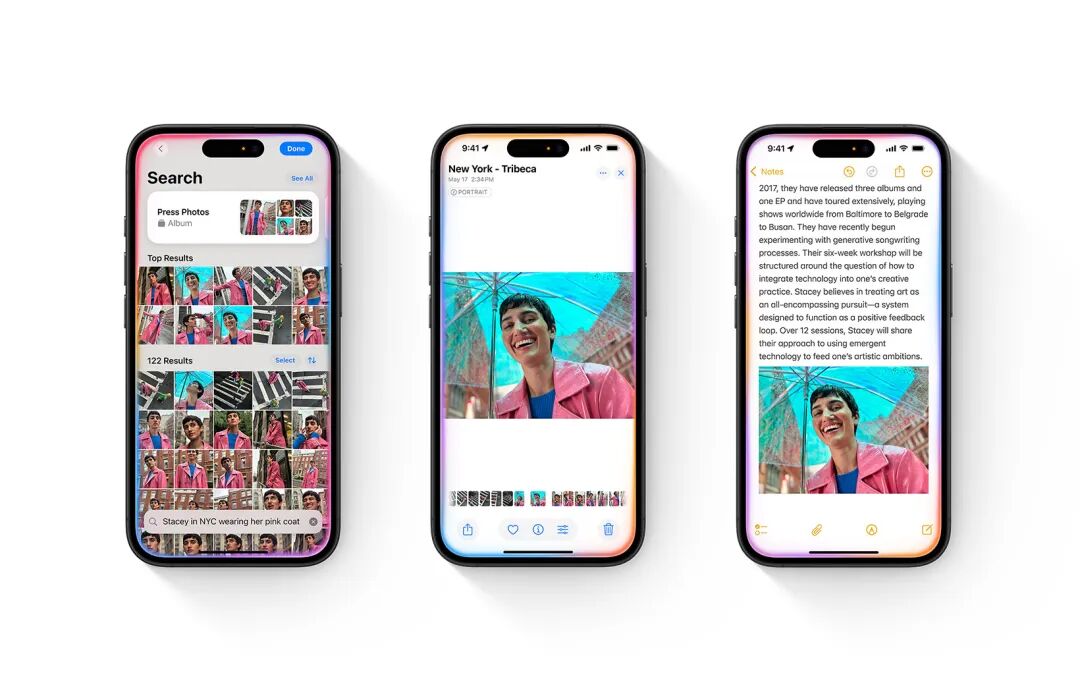
二、图像处理:发图前一句话“把路人挪走”,效率比手动修图快一个数量级; 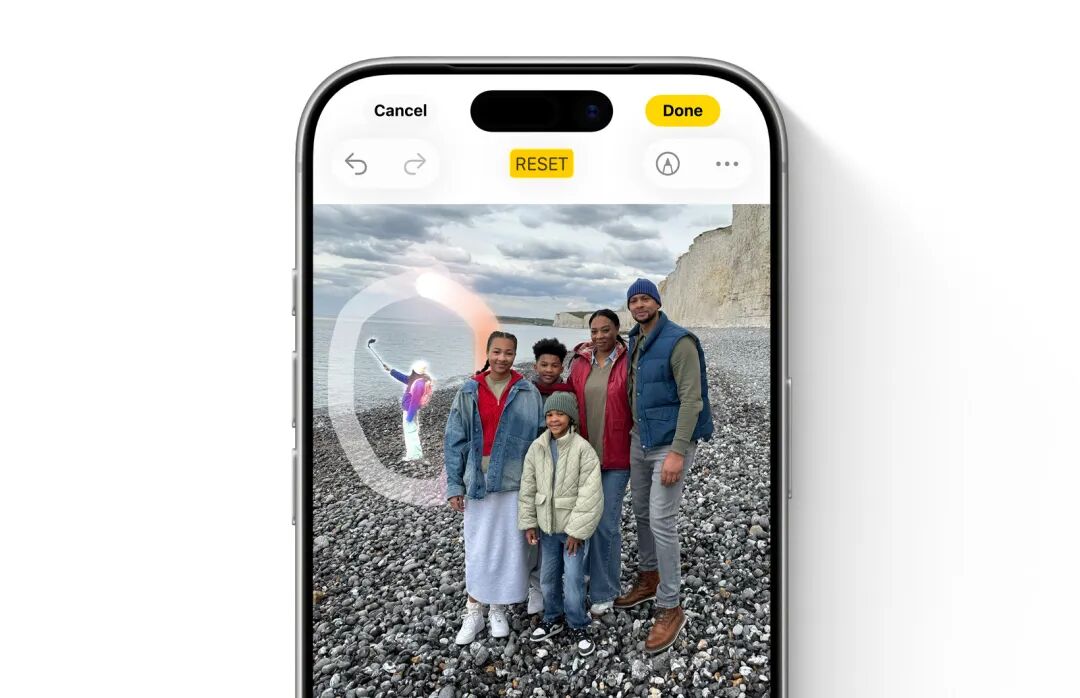
三、内容创作:脚本/标题/摘要交给写作工具起草,人手复核与风格化收尾。 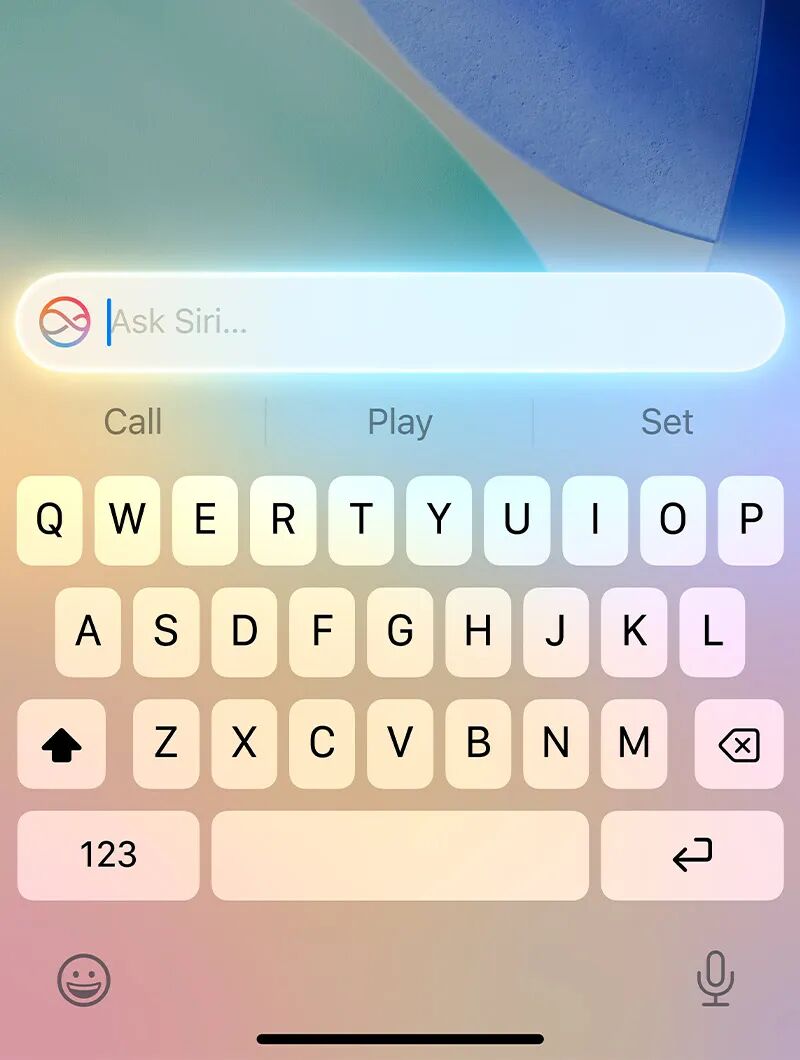
ingFang SC", system-ui, -apple-system, "system-ui", "Helvetica Neue", "Hiragino Sans GB", "Microsoft YaHei UI", "Microsoft YaHei", Arial, sans-serif;font-style: normal;font-variant-ligatures: normal;font-variant-caps: normal;letter-spacing: 0.544px;orphans: 2;text-align: center;text-indent: 0px;text-transform: none;widows: 2;word-spacing: 0px;-webkit-text-stroke-width: 0px;white-space: normal;background-color: rgb(255, 255, 255);text-decoration-thickness: initial;text-decoration-style: initial;text-decoration-color: initial;">国行 iPhone 下载 ChatGPT App 正确步骤ingFang SC", system-ui, -apple-system, "system-ui", "Helvetica Neue", "Hiragino Sans GB", "Microsoft YaHei UI", "Microsoft YaHei", Arial, sans-serif;font-style: normal;font-variant-ligatures: normal;font-variant-caps: normal;letter-spacing: 0.544px;orphans: 2;text-align: start;text-indent: 0px;text-transform: none;widows: 2;word-spacing: 0px;-webkit-text-stroke-width: 0px;white-space: normal;background-color: rgb(255, 255, 255);text-decoration-thickness: initial;text-decoration-style: initial;text-decoration-color: initial;">首先,登陆美区 Apple ID;我没有,我嫌麻烦不想自己注册,我自己买了一个:https://dev.hkgpt.top/shop/19;紧接着搜索ChatGPT,并下载。
|










