|
经常有粉丝朋友在群里问,GraphRAG怎么处理CSV文件啊?你会发现如果只是按照生成的settings.yaml模板配置,你是不可能成功的。比如这样 input:
type:file#orblob
file_type:csv#orcsv
base_dir:"input"
file_encoding:utf-8
file_pattern:".*\\.csv"
为什么呢?让我们一探究竟。 我已经建了一个LLM Agent应用和GraphRAG讨论群,如果希望进群交流的朋友,后台回复加群即可。
1. 配置csv文件输入GraphRAG的索引输入代码位于graphrag/index/config/input.py,它目前支持加载csv文件和txt文本文件。因此如果你想实现类似PDF加载,我们需要在这里实现相应代码。回到正题,让我们看一下csv.py代码。 asyncdefload_file(path:str,group:dict|None)->pd.DataFrame:
....
if"id"notindata.columns:
data["id"]=data.apply(lambdax:gen_md5_hash(x,x.keys()),axis=1)
#获取指定的source列,并保存为source列
ifcsv_config.source_columnisnotNoneand"source"notindata.columns:
...
else:
data["source"]=data.apply(
lambdax:x[csv_config.source_column],axis=1
)
#获取指定的text列,并保存为text列
ifcsv_config.text_columnisnotNoneand"text"notindata.columns:
...
else:
data["text"]=data.apply(lambdax:x[csv_config.text_column],axis=1)
#获取指定的title_column并将其保存为tilte列
ifcsv_config.title_columnisnotNoneand"title"notindata.columns:
...
data["title"]=data.apply(lambdax:x[csv_config.title_column],axis=1)
#获取指定的时间列,处理时间列timestamp_column
ifcsv_config.timestamp_columnisnotNone:
...
else:
data["timestamp"]=pd.to_datetime(
data[csv_config.timestamp_column],format=fmt
)
returndata
所以如果我们要处理CSV,需要通过指定配置说明你的文本,标题,来源和时间,当然你也可以直接修改你的csv文件来包含这几个列名。那么通过配置的话,我们有哪些选项可以配置呢? type:Thetypeofinputtouse.Optionsarefileorblob.
file_type:Thefiletypefielddiscriminatesbetweenthedifferentinputtypes.Optionsarecsvandtext.
base_dir:Thebasedirectorytoreadtheinputfilesfrom.Thisisrelativetotheconfigfile.
file_pattern:Aregextomatchtheinputfiles.Theregexmusthavenamedgroupsforeachofthefieldsinthefile_filter.
post_process:ADataShaperworkflowdefinitiontoapplytotheinputbeforeexecutingtheprimaryworkflow.
source_column(type:csvonly):Thecolumncontainingthesource/authorofthedata
text_column(type:csvonly):Thecolumncontainingthetextofthedata
timestamp_column(type:csvonly):Thecolumncontainingthetimestampofthedata
timestamp_format(type:csvonly):Theformatofthetimestamp
如果你需要timestamp列,你一定要配置timestamp_format列,告诉它如何解析,解析代码在上面。所以对于一个形如以下的csv文件 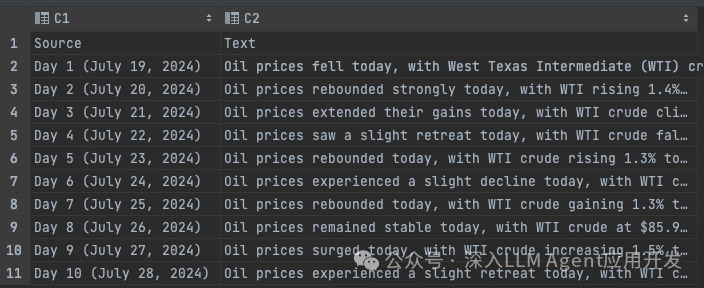 我们只需要如下配置,设定文本列为Text,设定来源为Source列,标题列也为Source即可。 input:
type: file # or blob
file_type: csv # or csv
base_dir: "input"
file_encoding: utf-8
file_pattern: ".*\\.csv"
source_column: Source
text_column: Text
title_column: Source
2. 开始索引poetryrunpoeindex--root.
然后索引完成。 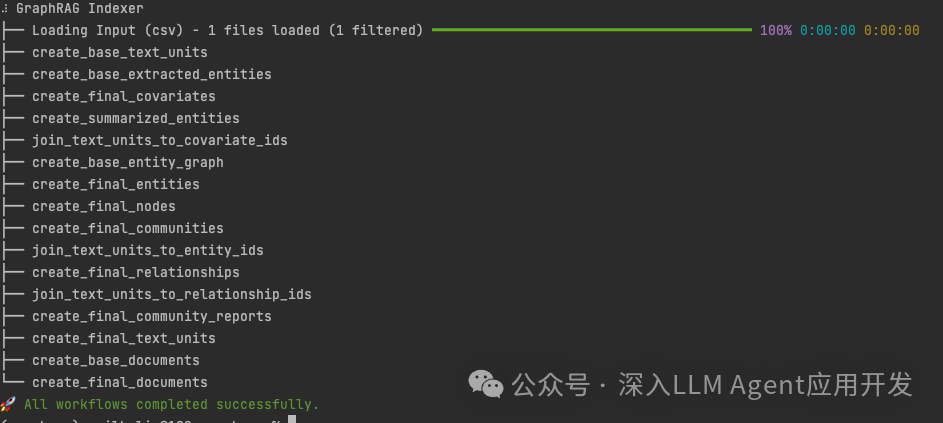 3. 测试准备测试。我最近为GraphRAG开发了一个流式服务器,并修改了部分GraphRAG代码,使之能够秒速输出内容,相比较之前使用命令行查询,动辄等待十几秒的,这体验提升的太明显了,丝滑~ 启动Web服务,然后下载cherry-studio配置API端点和模型即可。 python-muvicornwebserver.main:app--reload--port20213
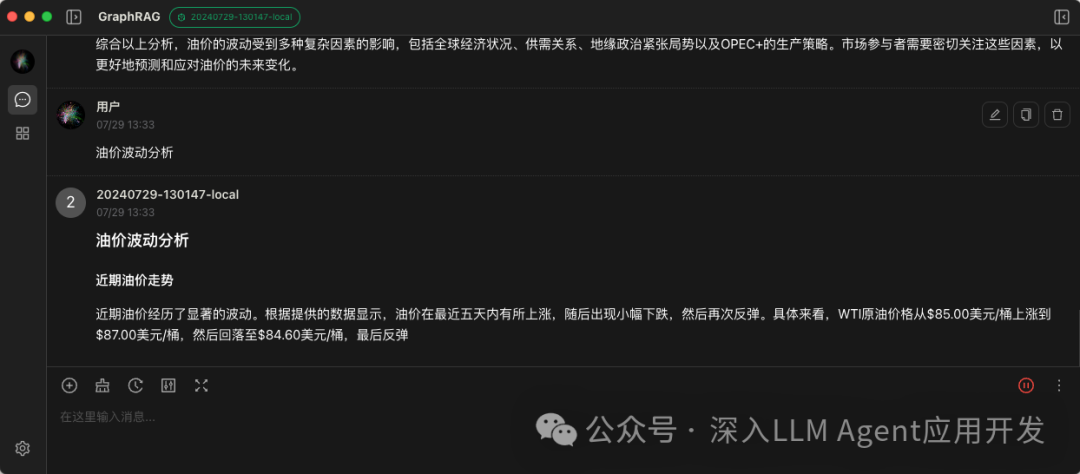 4. 总结本篇介绍了如何为GraphRAG配置csv文件输入,并最终通过自己编写的web服务进行查询测试,体验丝滑。下一篇,我将介绍如何实现秒速查询响应流式输出和UI配置。 cherry-studio:https://cherry-ai.com/ | 









