01.
前言
对于Milvus的开发者和使用者来说,向量数据库的应用场景越来越广泛,但技术深度和问题复杂性也与日俱增。在构建AI应用、机器学习项目时,我们常常面临这样的困境:明明知道解决方案就在某处,却苦于找不到精准的技术指导。每一个Milvus开发者都渴望拥有一个随身的技术顾问,能即时解答向量检索、数据索引、性能优化等关键问题。想象一个完全理解你项目上下文、能秒级响应的专属AI助手,它可以帮助你节省大量技术排查时间,快速解决各种问题。通过构建属于自己的本地技术顾问,让你在使用和开发Milvus的路上更顺利。
02.
手把手构建专属Milvus技术顾问
本环节中将详细介绍如何结合Milvus的数据集和通义本地大模型,构建一个能够理解和回答特定技术问题的AI技术顾问。我们将从零开始,逐步引导完成整个流程,涵盖准备训练数据集、实施微调训练以及评估模型效果等关键环节。通过本实操环节,相信即便是初学者也能成功打造出自己的专属技术顾问,进而显著提高在Milvus项目中的工作效率和创新能力。
说明:本文中忽略一些基础环境配置环节,若需了解请自行研究
2.1.环境要求
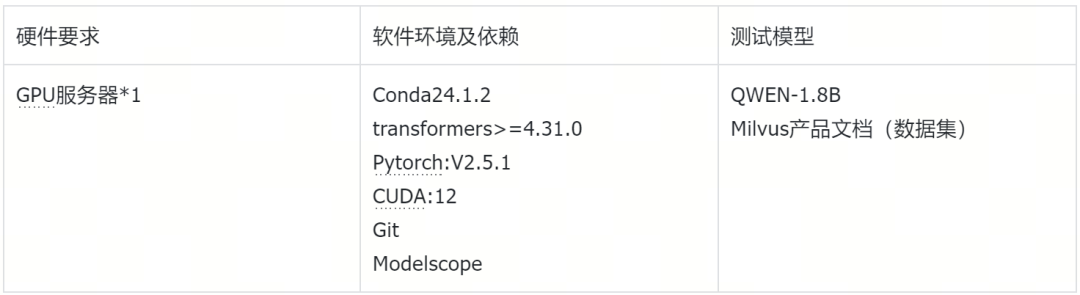
2.2.环境准备
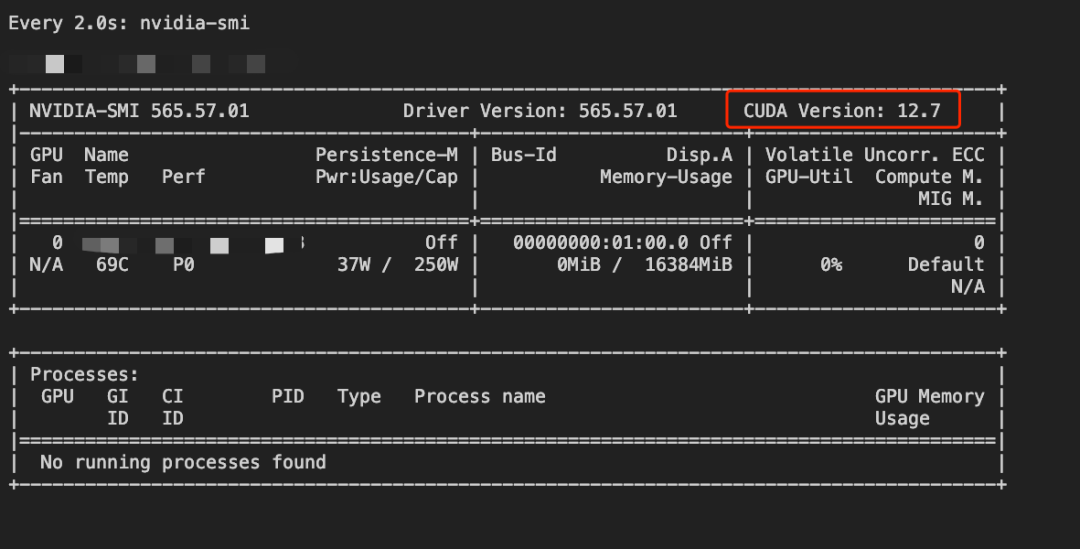
检查显卡状态
[root@Qwen-main]nvidia-smi
新建Py虚拟环境并激活
[root@Qwen-main]condacreate-nqwen
[root@Qwen-main]condaactivateqwen
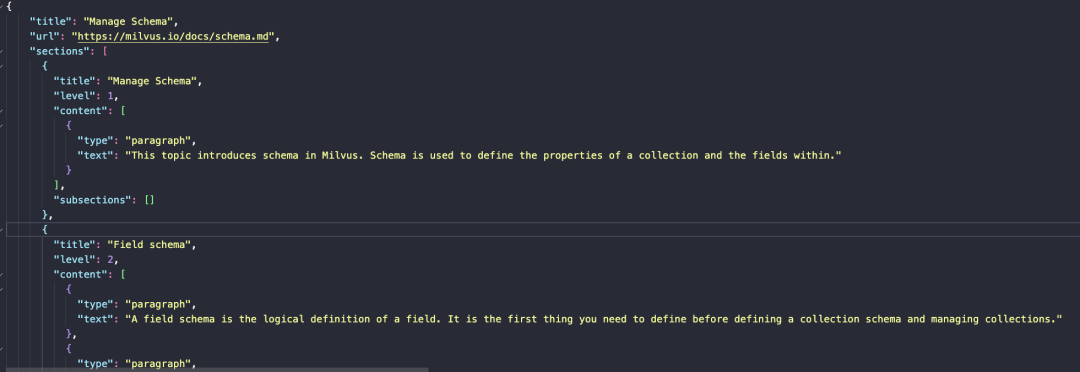
数据集准备
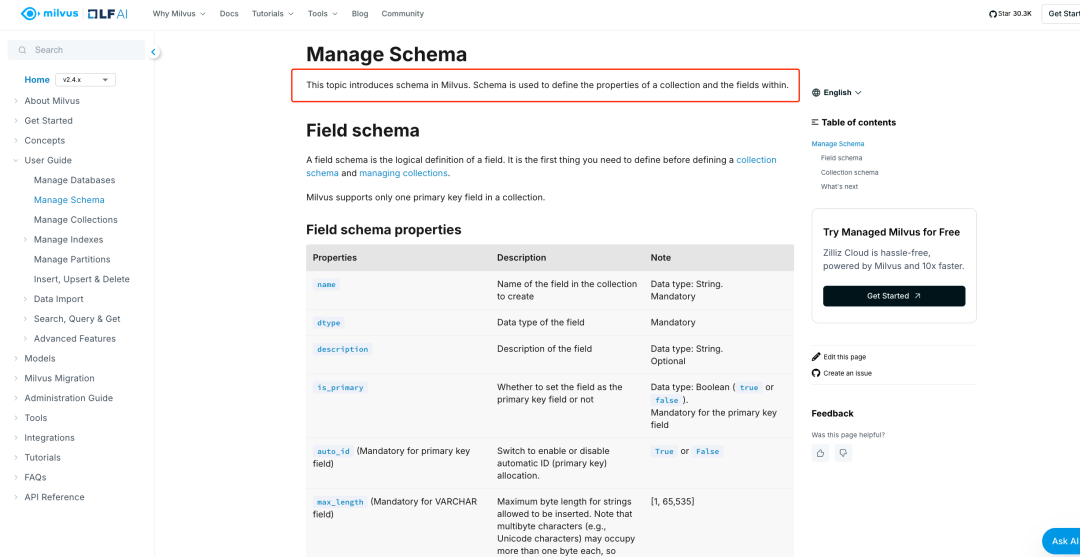
https://milvus.io/docs/schema.md
本次数据集采用Milvus官方部分文档作为原始数据,保存后等待数据清洗与预处理
Clone项目到本地
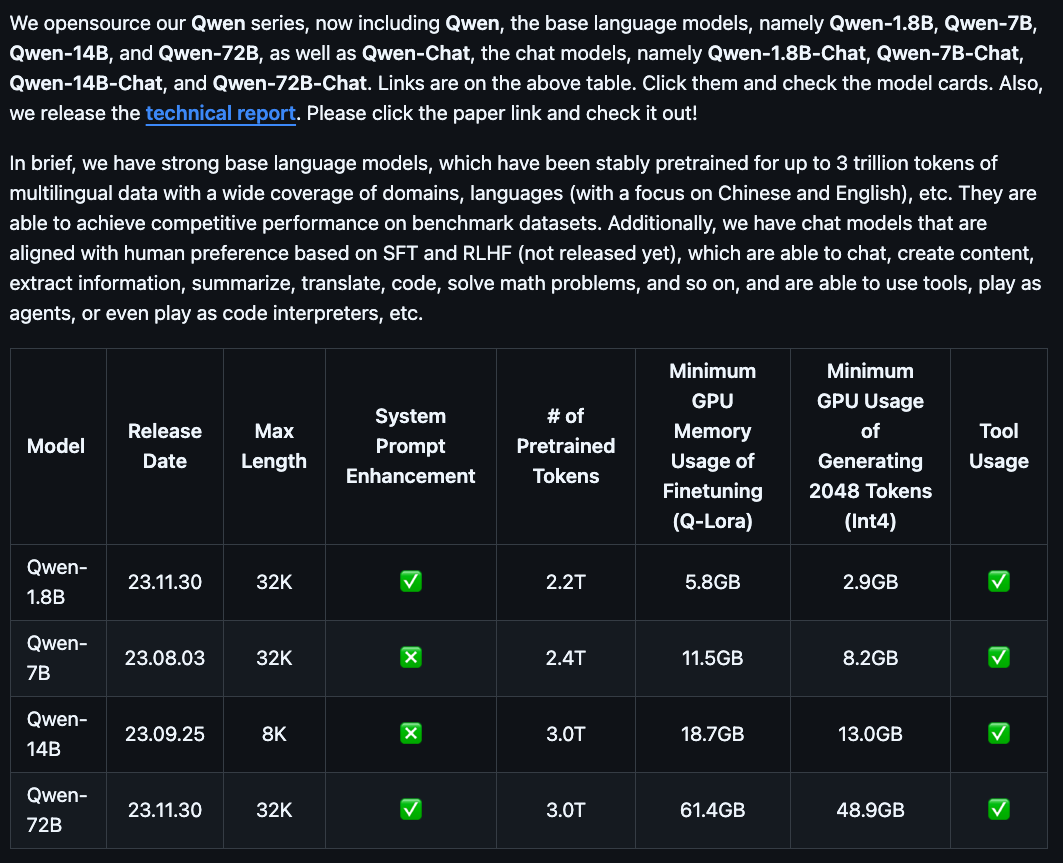
注意:QWEN项目支持本地运行的模型列表如下,QWEN2的模型不支持此项目运行
https://github.com/QwenLM/Qwen
(qwen)[root@Qwen-main]gitClonehttps://github.com/QwenLM/Qwen
下载Qwen-1.8B模型
(qwen)[root@Qwen-main]modelscopedownload--modelQwen/Qwen-1_8B-Chat
说明:本地模型存储路径
(qwen)[root@Qwen-main]ls/root/.cache/modelscope/hub/Qwen/Qwen-1_8B-Chat/

2.3.开始微调训练
2.3.1.安装Pytorch
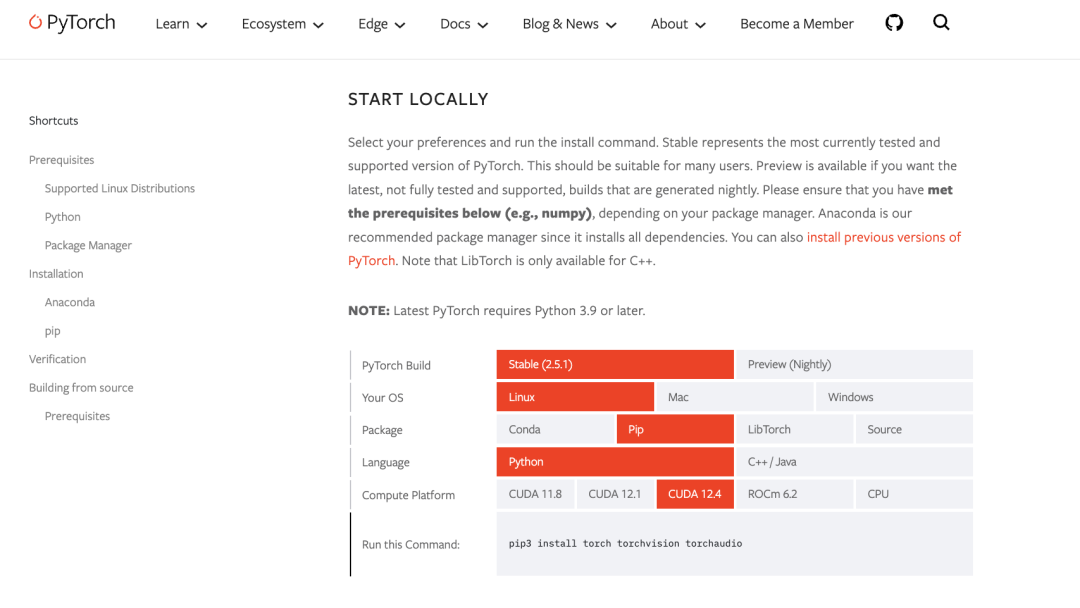
注意:请参照Pytorch官方环境版本要求选择安装
(qwen)[root@Qwen-main]pip3installtorchtorchvisiontorchaudio-ihttps://mirrors.aliyun.com/pypi/simple/
安装QWEN项目所需依赖
(qwen)[root@Qwen-main]pip3installpeft-ihttps://mirrors.aliyun.com/pypi/simple/
(qwen)[root@Qwen-main]pip3installrequirements_web_demo.txt-ihttps://mirrors.aliyun.com/pypi/simple/
gradio<3.42
mdtex2html
(qwen)[root@Qwen-main]pip3installrequirements.txt-ihttps://mirrors.aliyun.com/pypi/simple/
transformers>=4.32.0,<4.38.0
accelerate
tiktoken
einops
transformers_stream_generator==0.0.4
scipy
2.3.2.启动QWEN-1.8B原始模型
(qwen)[root@Qwen-main]python3web_demo.py--server-name0.0.0.0-c/root/.cache/modelscope/hub/Qwen/Qwen-1_8B-Chat
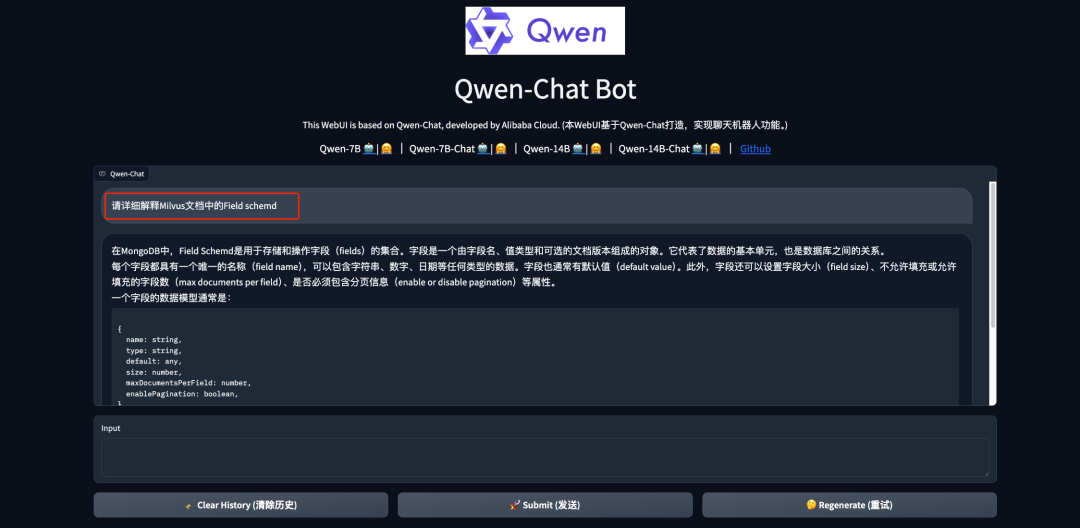
向模型提问测试
说明:此时我们看到微调训练前的QWEN-1.8模型回答的结果并没有达到预期,希望回答的是Milvus的问题而不是MongoDB的问题
2.3.3.数据集预处理
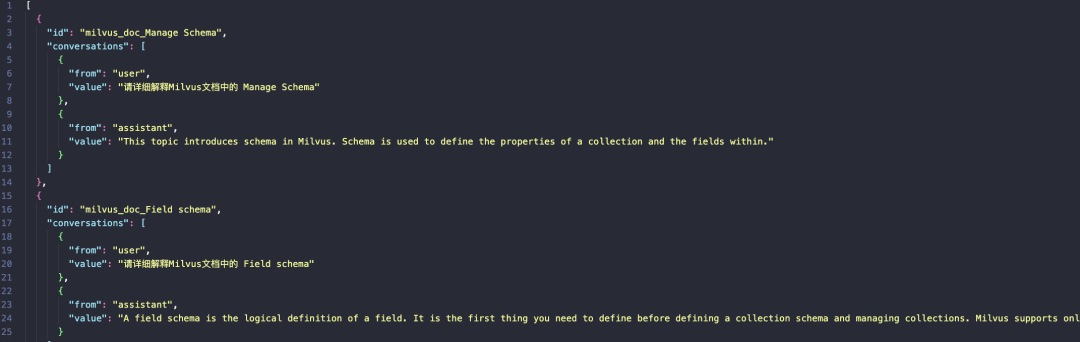
说明:此步骤是将事先准备好的Milvus的原始数据集以脚本的方式进行JSON格式转换,处理为大模型可识别的格式。
格式转换的原因是QWEN是对话型的模型,它需要理解上下文,给定JSON格式可以更好的表示。
importjson
importos
importargparse
fromtypingimportList,Dict
defconvert_milvus_doc_to_conversation(doc_data ict)->List[Dict]:
"""将Milvus文档转换为对话训练格式"""
conversations=[]
#遍历所有sections
forsectionindoc_data.get('sections',[]):
#使用section标题作为基础问题
base_question=f"请详细解释Milvus文档中的{section.get('title','未知主题')}"
#从内容中提取关键信息作为答案
content_texts=[]
forcontentinsection.get('content',[]):
#处理不同类型的内容
ifcontent.get('type')=='paragraph':
content_texts.append(content.get('text',''))
elifcontent.get('type')=='code':
content_texts.append(content.get('text',''))
elifcontent.get('type')=='list':
#处理列表类型的内容
list_items=content.get('items',[])
content_texts.extend(list_items)
#过滤空内容
content_texts=[textfortextincontent_textsiftext.strip()]
answer=''.join(content_texts)[:1000]#限制长度
ifanswer:
conversation_item={
"id":f"milvus_doc_{section.get('title','unknown')}",
"conversations":[
{"from":"user","value":base_question},
{"from":"assistant","value":answer}
]
}
conversations.append(conversation_item)
print(f"Converted{len(conversations)}conversations")
returnconversations
defconvert_milvus_dataset(input_file:str,output_file:str)->None:
"""转换Milvus文档数据集"""
all_conversations=[]
withopen(input_file,'r',encoding='utf-8')asf:
doc_data=json.load(f)
#如果是列表,逐个处理
ifisinstance(doc_data,list):
foritemindoc_data:
converted_docs=convert_milvus_doc_to_conversation(item)
all_conversations.extend(converted_docs)
else:
converted_docs=convert_milvus_doc_to_conversation(doc_data)
all_conversations.extend(converted_docs)
#确保输出目录存在(使用绝对路径)
output_dir=os.path.abspath(os.path.dirname(output_file))
os.makedirs(output_dir,exist_ok=True)
#保存转换后的数据
withopen(output_file,'w',encoding='utf-8')asf:
json.dump(all_conversations,f,ensure_ascii=False,indent=2)
print(f"数据转换完成!共转换{len(all_conversations)}条对话")
print(f"转换后的数据已保存到:{output_file}")
defmain():
parser=argparse.ArgumentParser(description='转换Milvus文档数据集')
parser.add_argument('--input_file',type=str,required=True,help='输入文件路径')
parser.add_argument('--output_file',type=str,required=True,help='输出文件路径')
args=parser.parse_args()
convert_milvus_dataset(args.input_file,args.output_file)
if__name__=="__main__":
main()
2.3.4.使用Lora进行微调训练
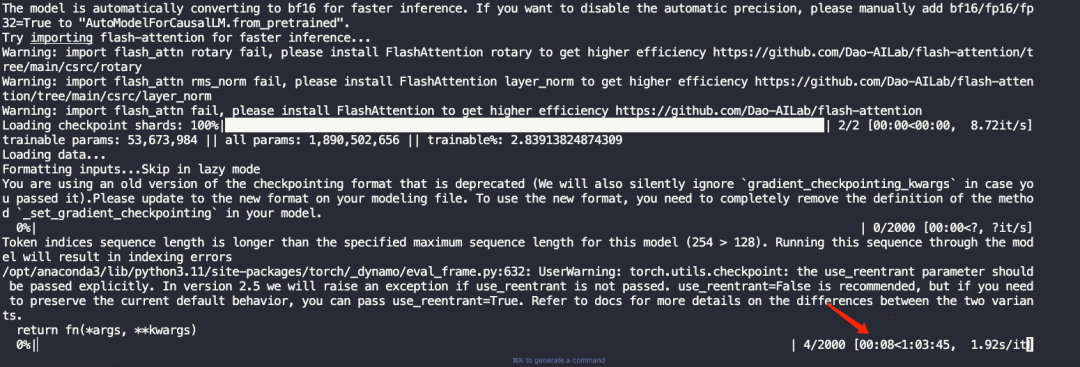
(qwen) [root@Qwen-main]bashfinetune/finetune_lora_single_gpu.sh
重要参数说明:
#模型和数据路径配置
--model_name_or_path$MODEL#基础预训练模型路径,影响初始模型权重
--data_path$DATA#训练数据集路径,直接决定训练内容

#训练轮次和批次设置
--num_train_epochs1#训练轮次,影响模型学习深度
--per_device_train_batch_size16#每个设备的批次大小,影响梯度计算和显存占用
--gradient_accumulation_steps1#梯度累积步数,可以模拟更大的批次大小

#学习率和优化策略
--learning_rate2e-3#学习率,控制模型权重更新速度
--weight_decay0.005#权重衰减,防止过拟合
--warmup_ratio0.01#学习率预热比例,缓解初期训练不稳定
--lr_scheduler_type"constant"#学习率调度策略

#模型训练限制
--model_max_length128#输入序列最大长度
--max_steps2000#总训练步数

#性能和显存优化
--gradient_checkpointingTrue#梯度检查点,减少显存占用
--lazy_preprocessTrue#延迟预处理,提高数据加载效率

#LoRA特定配置
--use_lora#启用LoRA微调
查看微调训练后的模型
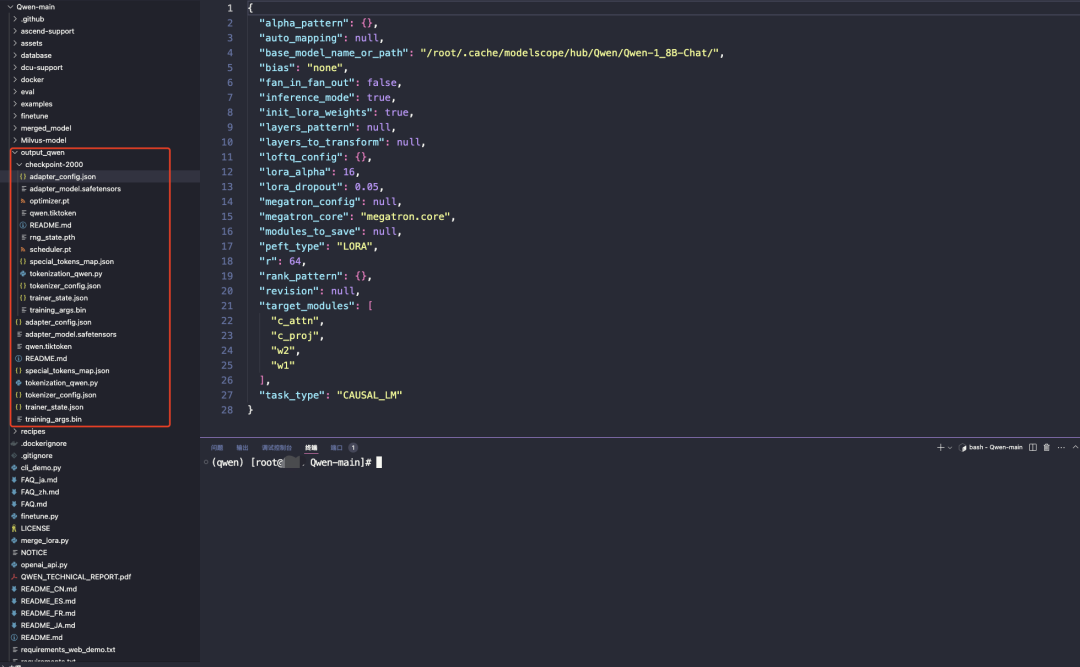
2.3.5.合并模型
说明:合并模型的意思,就是将在特定领域(如 Milvus)数据集上微调的模型权重,永久地集成到原始预训练模型中,生成一个具有领域专属知识和能力的定制模型。
[root@Qwen-main]python3merge_lora.py
importos
frompeftimportAutoPeftModelForCausalLM
fromtransformersimportAutoTokenizer,GenerationConfig
importtorch

defmerge_lora(
lora_model_path="/root/qwen-wt/Qwen-main/output_qwen/checkpoint-2000",
base_model_path="/root/.cache/modelscope/hub/Qwen/Qwen-1_8B-Chat",
save_path="/root/qwen-wt/Qwen-main/Milvus-model"
):
print("Startingmodelmerge...")

#加载LoRA模型
print(f"LoadingLoRAmodelfrom{lora_model_path}")
model=AutoPeftModelForCausalLM.from_pretrained(
lora_model_path,
device_map="auto",
torch_dtype=torch.float16
)

#合并模型
print("Mergingmodels...")
merged_model=model.merge_and_unload()

#保存合并后的模型
print(f"Savingmergedmodelto{save_path}")
os.makedirs(save_path,exist_ok=True)
merged_model.save_pretrained(save_path)

#保存tokenizer和generation_config
print("Savingtokenizerandconfigs...")
tokenizer=AutoTokenizer.from_pretrained(
base_model_path,
trust_remote_code=True
)
tokenizer.save_pretrained(save_path)

#复制generation_config.json
generation_config=GenerationConfig.from_pretrained(
base_model_path,
trust_remote_code=True
)
generation_config.save_pretrained(save_path)

print(f"Mergecompleted!Mergedmodelsavedto:{save_path}")
print("\nYoucannowusethemergedmodelwithwebdemo:")
print(f"pythonweb_demo.py--server-name0.0.0.0-c{save_path}")

if__name__=="__main__":
merge_lora()
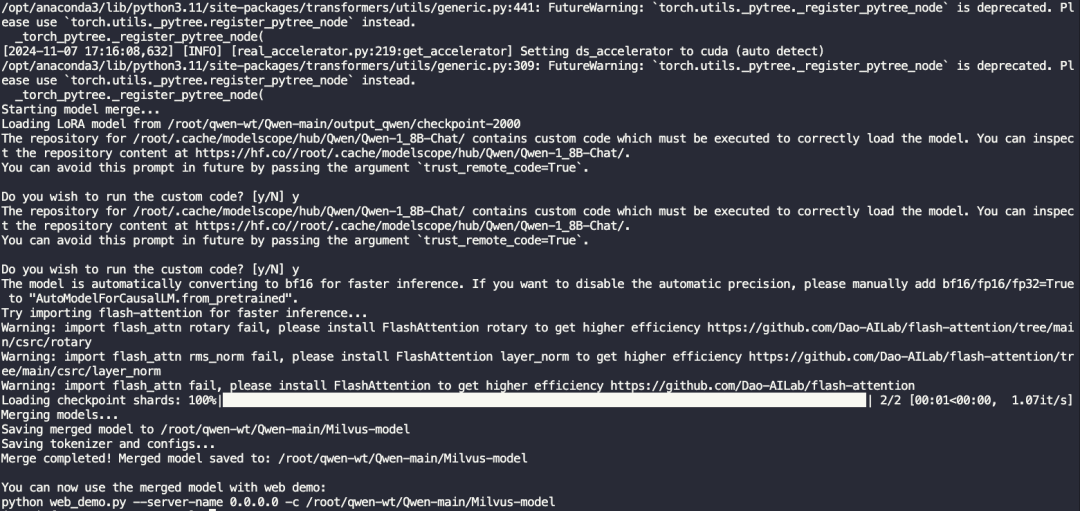
2.3.6.启动新模型并访问测试
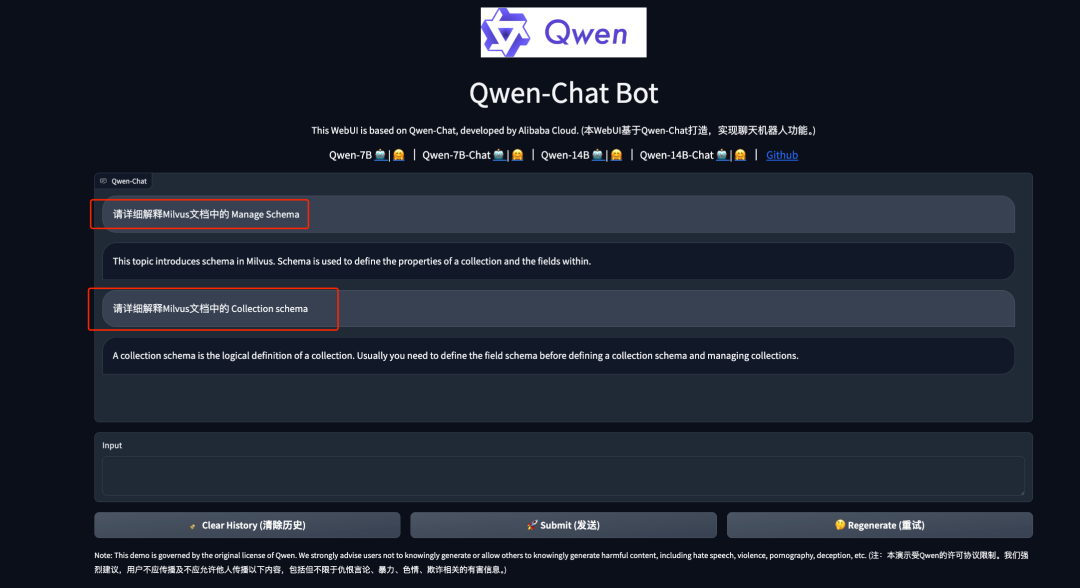
说明:此时我们再次向模型提出和刚才一样的问题,得到的结果是符合预期的。
[root@Qwen-main]pythonweb_demo.py--server-name0.0.0.0-c/root/qwen-wt/Qwen-main/Milvus-model
03.
总结:大模型微调训练那些事
本次微调训练只是一个起点。对于想要构建专属技术顾问的开发者或用户来说,我们还需要在数据质量、模型选择和训练策略上下更多功夫。想要微调出效果更好的模型推荐从两个方向继续深化:一是优化训练数据集,确保覆盖更多技术场景;二是尝试更精细的指令微调,提高模型在特定领域的专业性。技术的进步从来都是在不断迭代中实现的。










